09:00 – 10:30 1h 30m
Refactored the Nemesis Program targeting algorithms. Member identification accuracy up from 94% to 99.7%.
A visual time tracker for Obsidian. Log your hours, see where they went, and bill for them. Every entry stays in your vault as a plain markdown table.
Free and open source. No account, no cloud, no subscription.
Refactored the Nemesis Program targeting algorithms. Member identification accuracy up from 94% to 99.7%.
Fixed LV-426 atmospheric processor alerts firing false positives during dust storms.
Plugin settings now show up in Obsidian's settings search, so you can find options like hour height, invoice folder, or clients without scrolling the tab. This release requires Obsidian 1.13.0 or later.
Your saved settings, clients, projects, and activities carry over unchanged, and existing markdown entries need no migration.
The timeline scrolls forever in both directions. Drag across an empty stretch to log an entry, drag it to move it, pull an edge to change its length.
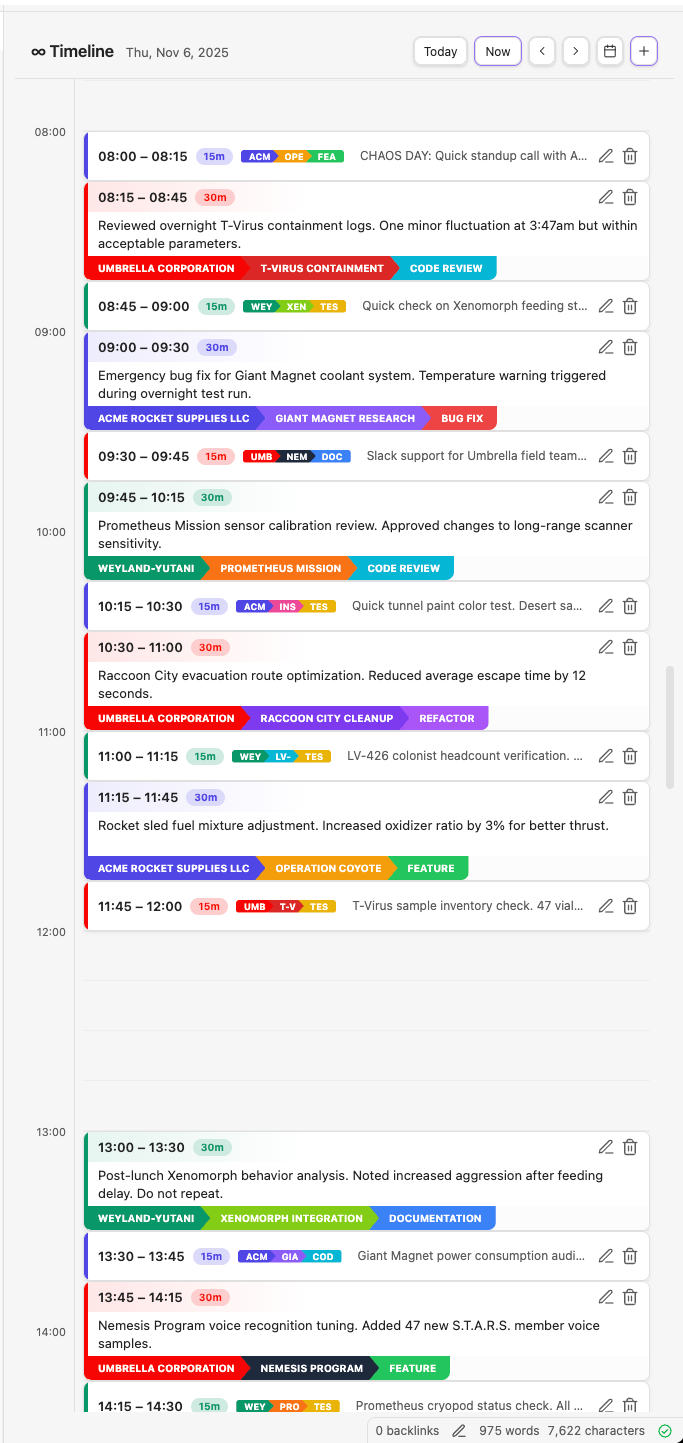
Every entry is a row in a monthly markdown file in your vault. You can read it, edit it by hand, diff it in git, and keep it forever.
No database, no sync service, no export step. If the plugin ever disappears, your hours don't.
TimeTracking/2026-01.md
| Start            | End              | Description     | Client | Project | Activity |
| :--------------- | :--------------- | :-------------- | :----- | :------ | :------- |
| 2026-01-12 09:00 | 2026-01-12 10:30 | Morning standup | acme   | webapp  | meeting  |
| 2026-01-12 10:30 | 2026-01-12 12:00 | Fix login bug | acme | webapp | dev |Pick a date range and get your hours broken down by client, then project, then activity. Expand any level to dig in.
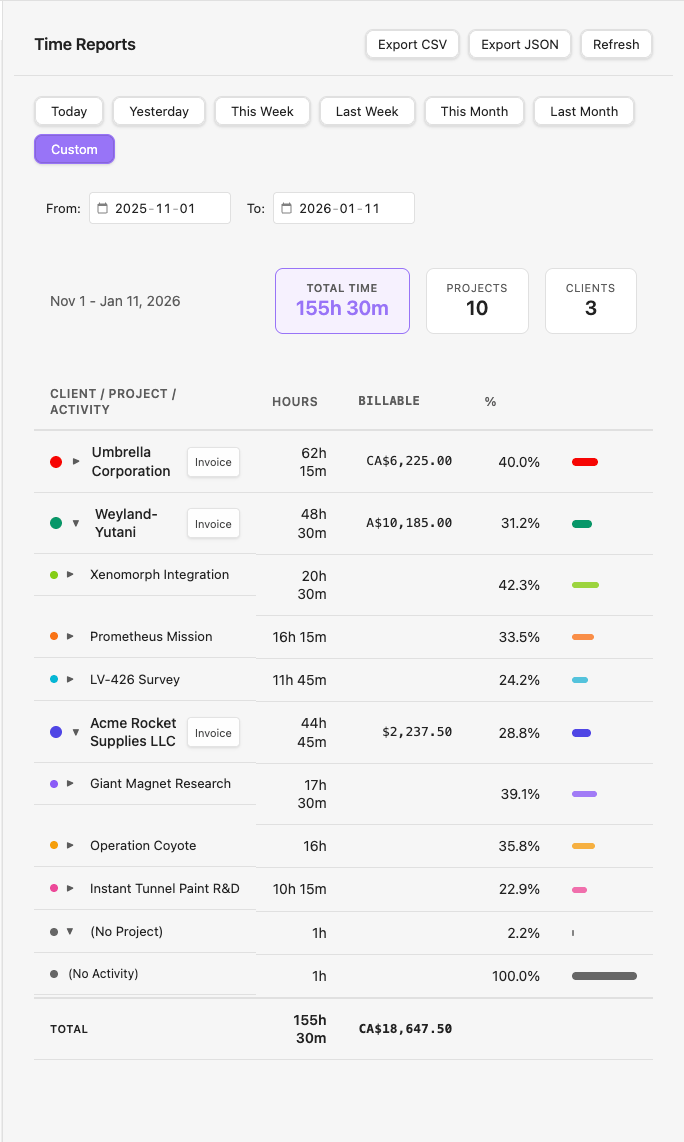
Any client with billable time gets an Invoice button in Reports. Enter a number and payment terms, and the plugin writes a markdown invoice you can export to PDF.
| Project | Hours | Amount |
|---|---|---|
| LV-426 survey | 12.5 | $1,875.00 |
| Prometheus mission | 8.0 | $1,200.00 |
| Xenomorph integration | 3.5 | $525.00 |
| Total | 24.0 | $3,600.00 |
There's no start/stop timer. You log time after the fact, the way most people actually remember their day.
It doesn't scan your vault or hook into task plugins. You say what you worked on and when; it writes a row.
No account, no telemetry, no upsells, no team features. It works offline and loads instantly.
Download main.js, manifest.json, and styles.css from the latest release into .obsidian/plugins/where-did-the-time-go/ in your vault.
Add plattnum/where-did-the-time-go in the BRAT plugin.
Obsidian 1.13.0 or later, on desktop or mobile.